Designed around the reality of teaching back-to-back classes and learning releases, the new Instructor App delivers a faster, more dependable experience. With improved performance and offline functionality, it helps address some of the biggest frustrations Instructors face every day.
Keep classes moving
You get direct access to downloaded playlists when offline access is detected
Learn choreo faster
Less time learning means more time earning.
Prep in less time
Faster, easier playlist creation streamlines class preparation.
The new features we think you’ll love:
01
02
03
.png)
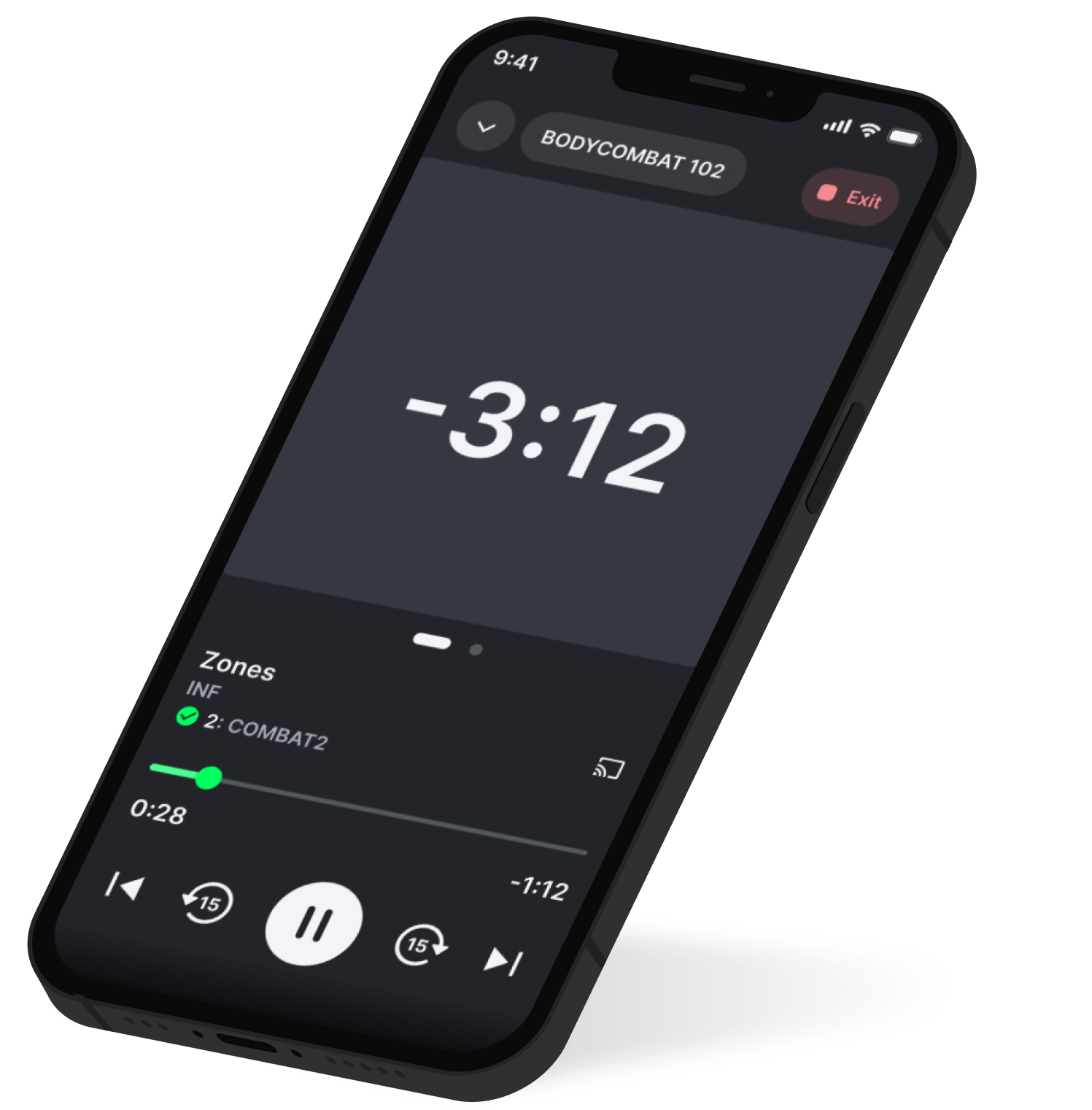
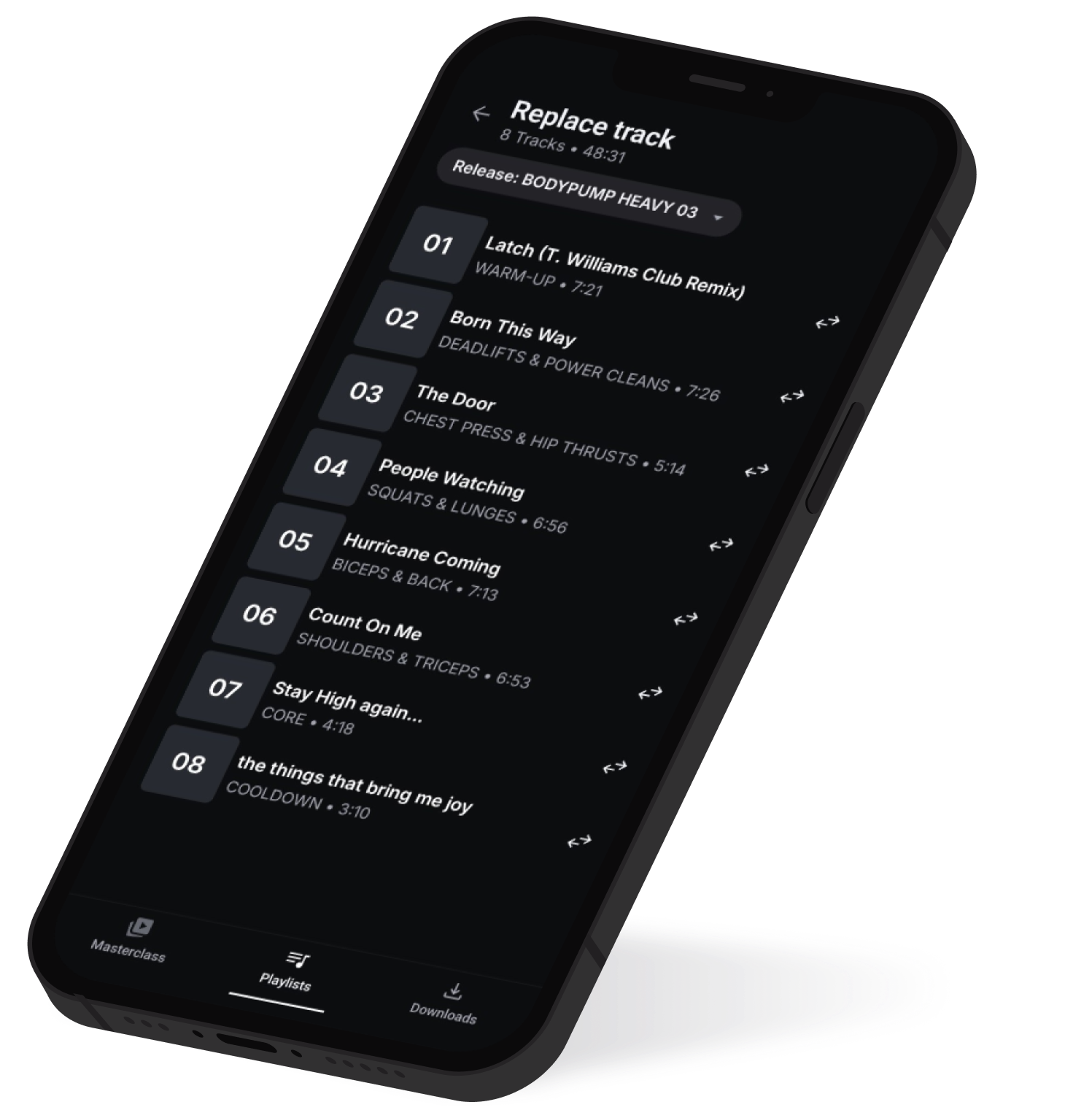
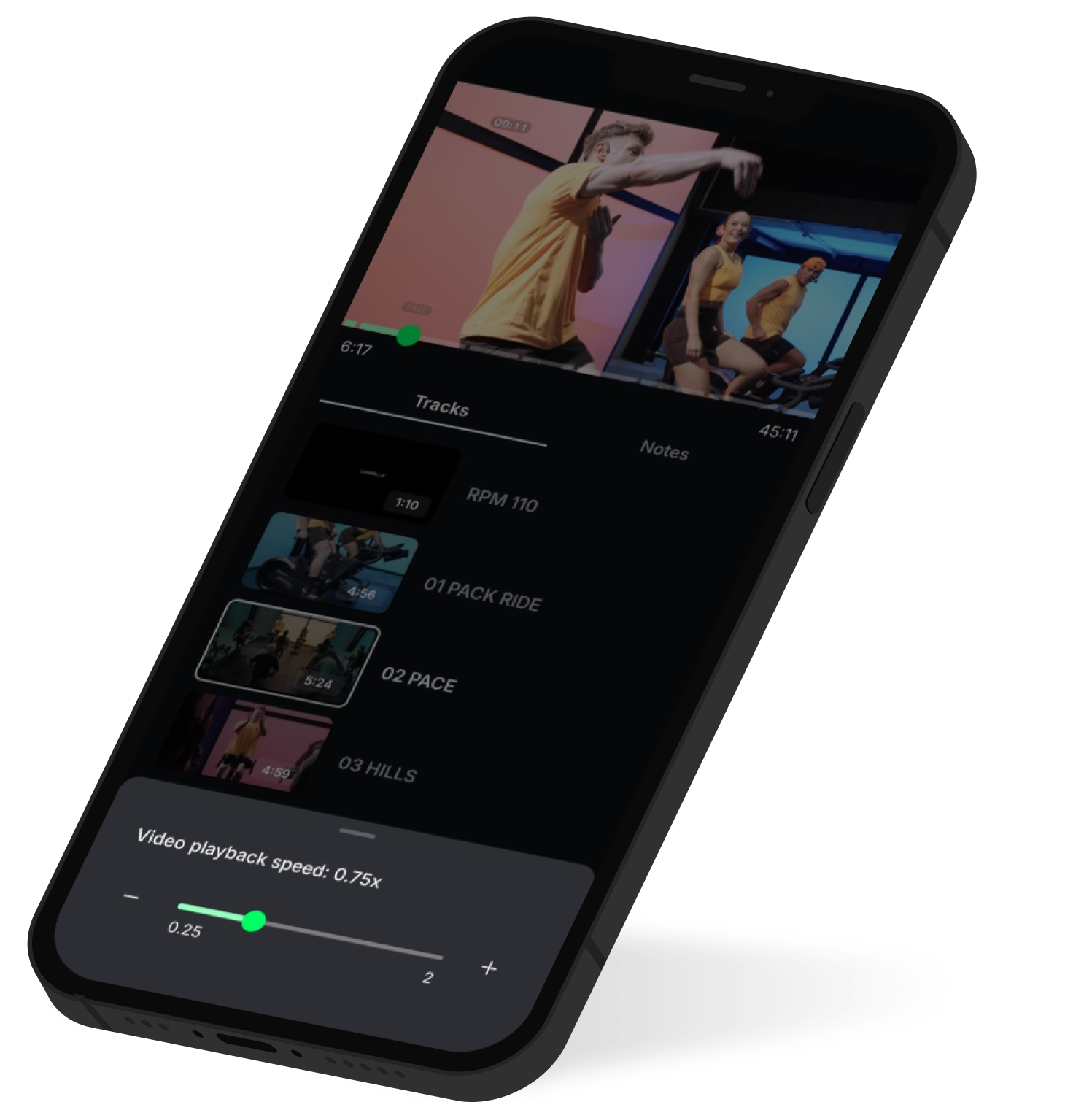
Key transition information
• Custom playlists will be automatically migrated to the Instructor App the first time you login.This auto migration only happens once – any playlists created later in the Releases App won’t be migrated.
• Any videos or playlists you’ve downloaded for offline use need to be downloaded again in the new Instructor App.
• When logging in to the new app, you'll be asked to review and accept of app Terms of Use.
We’re all about making life easier
If you have any issues or queries:
• Check out the Instructor App FAQs below
• If you need additional support, in the first instance, contact your local Instructor support team.
• Lastly, please share your feedback through the in-app feedback form.
FAQ's
Helpful answers,
all in one place
- You will be able to access all the quaReleases that you can currently access from the Releases App.
- Custom playlists will be automatically migrated to the Instructor App the first time you login. This only happens once – any playlists created later in the Releases App won’t be migrated.
- Any videos or playlists you’ve downloaded for offline use need to be downloaded again in the new Instructor App.
- You can change the app language in the ‘Profile & settings’ page.
- Music tracks that are expired (and cannot be played in the Releases App) will not be migrated. If you have a custom playlist containing expired tracks, your migrated playlist will show only valid tracks in the Instructor App.
Instructor app
Can I keep using the current Releases App? How long for?The current Releases App will continue to be available for a period of time, however we plan to retire this app in early 2027. The exact date will be communicated to you via email.
Instructor app
The first time you log in to the Instructor App, your custom playlists will be migrated automatically. Because this is a one-time migration, any playlists created in the Releases App afterward won't be moved across. For this reason, we recommend using the Instructor App as your primary app once you've started using it.
Instructor app
- The Instructor App has all the features that you know today* plus improvements and new features.
- The ‘Learn’ section of the Releases App is still in development – we've got some exciting new additions to come!
- Coming soon – we're building the ability to view the current music track while reading choreography notes.
Instructor app
The minimum operating system requirements are iOS 16.4 and Android 13. We are unable to support older operating systems due to security.
Instructor app
Check out the Instructor FAQ page. If your question is not answered, get in touch with your market team directly or complete the contact form on the FAQ page.
Instructor app
The language setting can be found in the 'Profile & settings' menu
Instructor app
All music tracks in your playlist will be migrated to the new app, unless they have expired. In a very small number of cases, digital licensing limitations mean certain tracks are only available for a limited period and cannot be used once that license has expired.
Instructor app
If you’re unable to access all of your releases in the Instructor App, simply email platformsupport@lesmills.com
Instructor app
You can definitely jump in and explore the new Instructor App. However, if you’re still doing your training it’s important that you also retain access to the current Releases App, as the Initial Training videos in the ‘Learn’ section are not yet available on the new app.
Instructor app
You'll be able to access all the releases you can currently see in the Releases App, including Cover music kits. You'll need to follow the existing process to request cover music via the Instructor Portal or Digital Kit Portal.
Instructor app